Find the business case.
We map the bottleneck with your process owners, check the available data and agree the cost, scope and success measures.
What you get
A prioritised use case and a measurable pilot.
Ontovia is your AI implementation partner. We connect your tools and knowledge, automate recurring work and help your team put it into daily use.
Implementation. Training. Ongoing support.Our team has worked at



Ontovia brings business operations, engineering and team adoption together. We help you choose where AI belongs, implement it and make it useful to the people doing the work.
We map the bottleneck with your process owners, check the available data and agree the cost, scope and success measures.
A prioritised use case and a measurable pilot.
We configure the AI workspace, connect your systems and build agents around your knowledge, approvals and everyday tasks.
A working workflow, tested with your team.
We train the people using it, support the rollout and review quality, adoption and costs as the workflow becomes part of daily work.
A supported team and a clear view of performance.
Selected projects from the Ontovia team's experience. A closer look at the problem, the implementation and what changed for the client.
 Sales quality
More focused coaching. Stronger sales conversations.
 Procurement
Less searching. More time for promising bids.
 Finance & reporting
Faster reporting. More time for analysis.
Team experience, described anonymously. Outcomes relate to these projects and depend on each client's processes, data and adoption.
An AI workspace connected to your knowledge and tools. Purpose-built agents for the work that comes around every day.
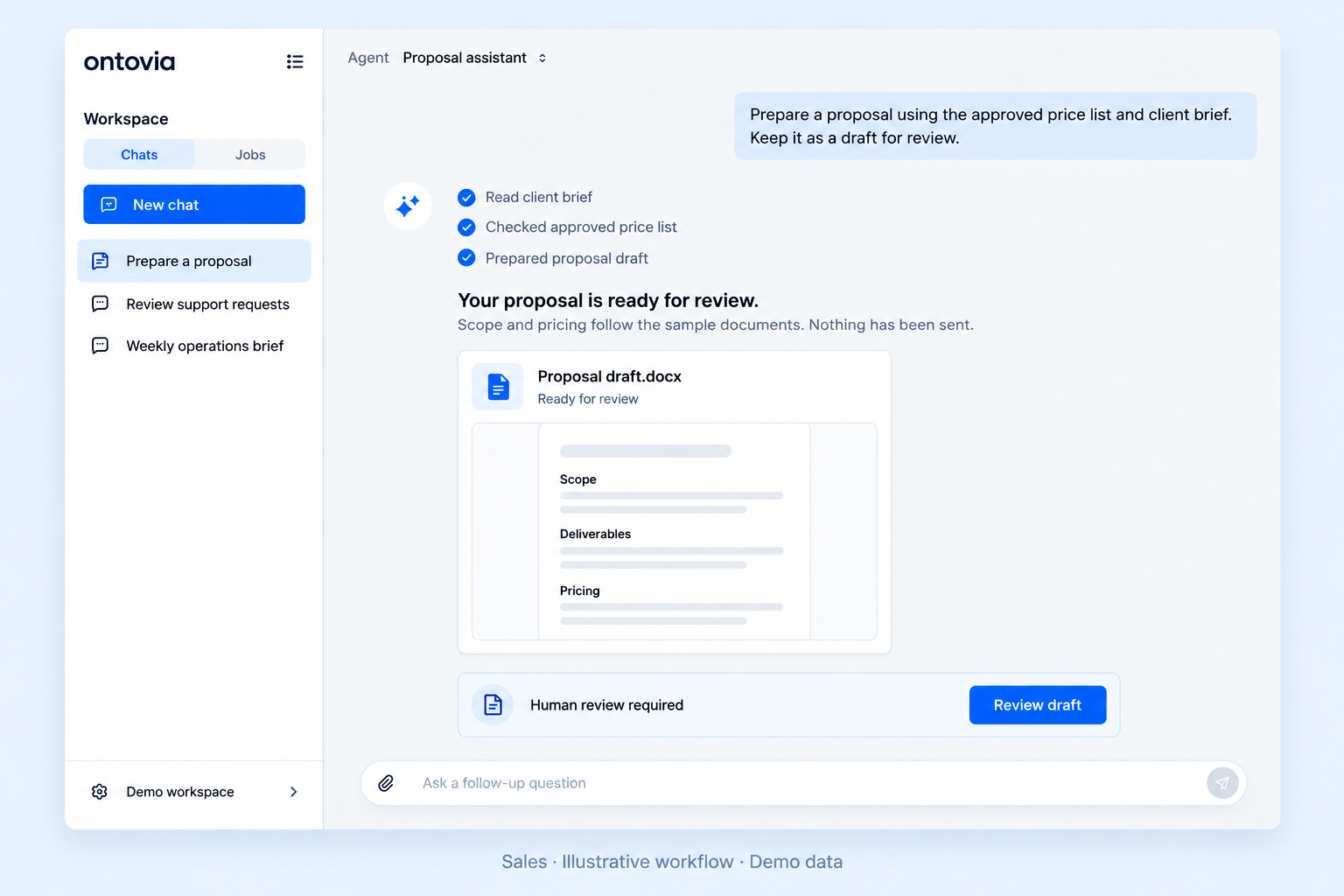
Turn a client brief and an approved price list into a proposal draft. Your team checks the scope and decides when to send it.
What we measureTime from request to reviewed proposal
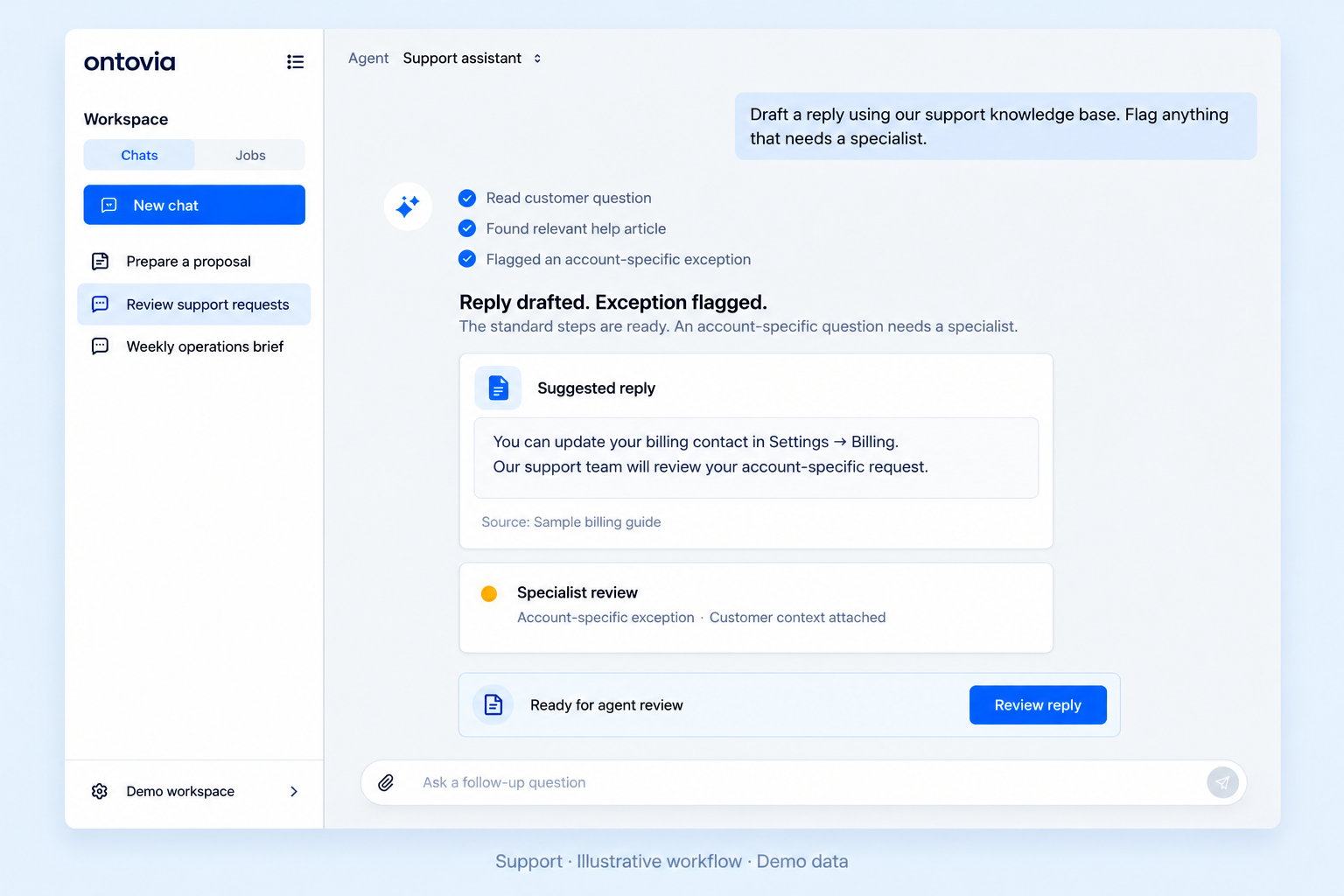
Prepare replies from your knowledge base. Flag exceptions for a specialist, with the customer context already attached.
What we measureResolution time and quality of handovers
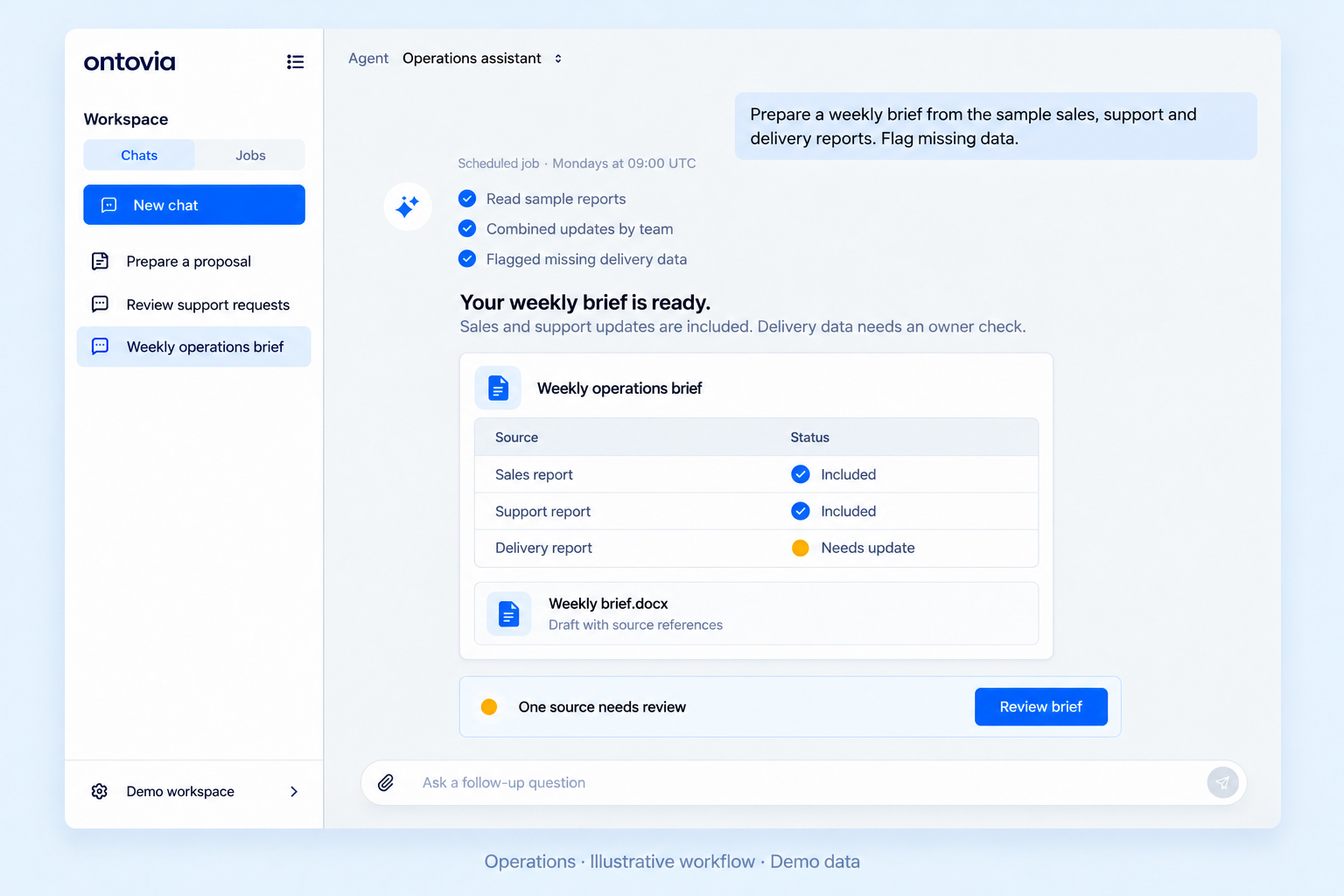
Bring recurring reports together on a schedule. See the updates, their sources and the information that still needs an owner.
What we measurePreparation time and completeness of reporting
Work with the documents and sources your team relies on.
Set access and approval rules for each workflow.
Track model usage and configure spending limits.
Inside your AI workspace
Give your team shared knowledge, specialised agents and connected tools — all in one place.
Equip agents with your instructions, tools and reusable skills. Make your team’s way of working repeatable.
Proposal structure & tone
A structured proposal draft, ready for your team to review.
Response & escalation rules
A reply grounded in your guidance, with exceptions flagged for a specialist.
Weekly reporting format
A concise brief with source context and missing information highlighted.
Keep documents in shared drives so agents can work with the context your team relies on.
Schedule recurring tasks so agents can prepare updates without a fresh prompt every time.
Connect agents to your business systems to retrieve information and carry out the actions you approve.
Give colleagues access to shared agents, reusable instructions and team workspaces.
Choose the model behind each agent to suit the work, quality requirements and budget.
See usage costs by model and set daily and weekly limits for each user.
Evaluate agents against repeatable scenarios to understand where they need improvement.
Illustrative interfaces with demo data. Available models, integrations and evaluation tools depend on your deployment and agreed scope.
We configure the workspace, connect your systems and help your people use it.
A focused pilot gives you a clear decision: refine it, expand it or choose a better starting point.
Walk through one recurring process. Identify its owner, the systems involved and the result worth improving.
Agree the inputs, access, success measures and boundaries. Set the implementation fee before the build begins.
Connect the tools, test real scenarios and train the people who will use the workflow. Review the results together.
Monitor quality and usage, resolve issues and review the agreed measures. Expand when the evidence supports it.
Implementation, ongoing support and usage costs are outlined separately in your proposal.
Start with frequent, repeatable work that has accessible inputs and a clear owner. We look at the current effort, the cost of mistakes and how you will judge a useful result.
We check the APIs, permissions and data available in your current systems before agreeing the scope. The proposal lists the integrations included and any work needed to connect them.
We define access and approval rules for each workflow. Sensitive actions can require human review. Usage limits and quality checks are configured around the agreed deployment.
Timing depends on the workflow, integrations and access to your data. We agree a delivery schedule during scoping, including the time your team needs for testing and approvals.
Your proposal separates implementation, ongoing support and platform, model and infrastructure costs. It also specifies the review cadence, support scope and handover arrangements.
Business context, engineering and adoption belong in the same conversation. We work with the people who own the process, from the first discussion through daily use.
Meet Ontovia
Product and Operations

Technology